Showroom
Every deal, from first enquiry to the keys
Sales executives, F&I and managers work the same deal, so nothing is re-keyed between the desk, the bank and the handover.
See it in a demoDealer Management System
AutoTech360 DMS is a dealer management system built for dealer groups that run several companies, brands, showrooms, workshops and warehouses. Sales, used cars, F&I, parts, service, body shop, warranty and accounting all work from one database, so a car, a customer and every dirham they touch are the same record everywhere.
Case study45% higher operational efficiency for a dealership groupFeatures
Built for the GCC first: VAT, three-decimal currencies, Saudi e-invoicing and bilingual tax invoices are part of the product, not add-ons, and every screen works in English and right-to-left Arabic.
Showroom
Sales executives, F&I and managers work the same deal, so nothing is re-keyed between the desk, the bank and the handover.
See it in a demoLead pipelines fed by your website, test drives with licence capture and damage reports, and trade-in appraisals with a signed offer.
Quotations priced from price books, bookings, orders and invoices, and a delivery checklist that holds the car until everything is done.
Finance applications tracked to disbursement, insurance quotes and renewals, partner commission and registration steps.
Stock & buying
New cars, used cars and parts are bought, received, costed and counted in one place, so stock value is always the real number.
See it in a demoEvery car from on-order to delivered, found by the last digits of its VIN, with costs, PDI, transfers, a yard map and ageing alerts.
Appraisal, inspection, reconditioning costed into the car, a photography stage and the VAT margin scheme where it applies.
OEM numbers and barcodes, bins, RFQs, three-way matching, scan-to-issue to job cards and counter sales.
After-sales
Bookings, job cards, the body shop and warranty claims share one record of the car, and the customer approves and pays from their phone.
See it in a demoOnline bookings, job cards, estimates customers approve from a link or WhatsApp, technician clocking and a live bay board.
Insurance jobs with surveyor and excess, a staged repair board, split billing, and OEM warranty claims tracked to payment.
Customers book, approve, sign and pay online, with a shared WhatsApp inbox, campaigns, NPS surveys and complaints.
Finance & control
Every document posts to the ledger as it happens, approvals follow your rules, and reports read the same figures as the screens.
See it in a demoEvery document posts its own journal. Period close, statements, consolidation, budgets, fixed assets, bank reconciliation and VAT returns.
Ready-made roles limited to their own records, team, branch or company, and approval chains your admins edit.
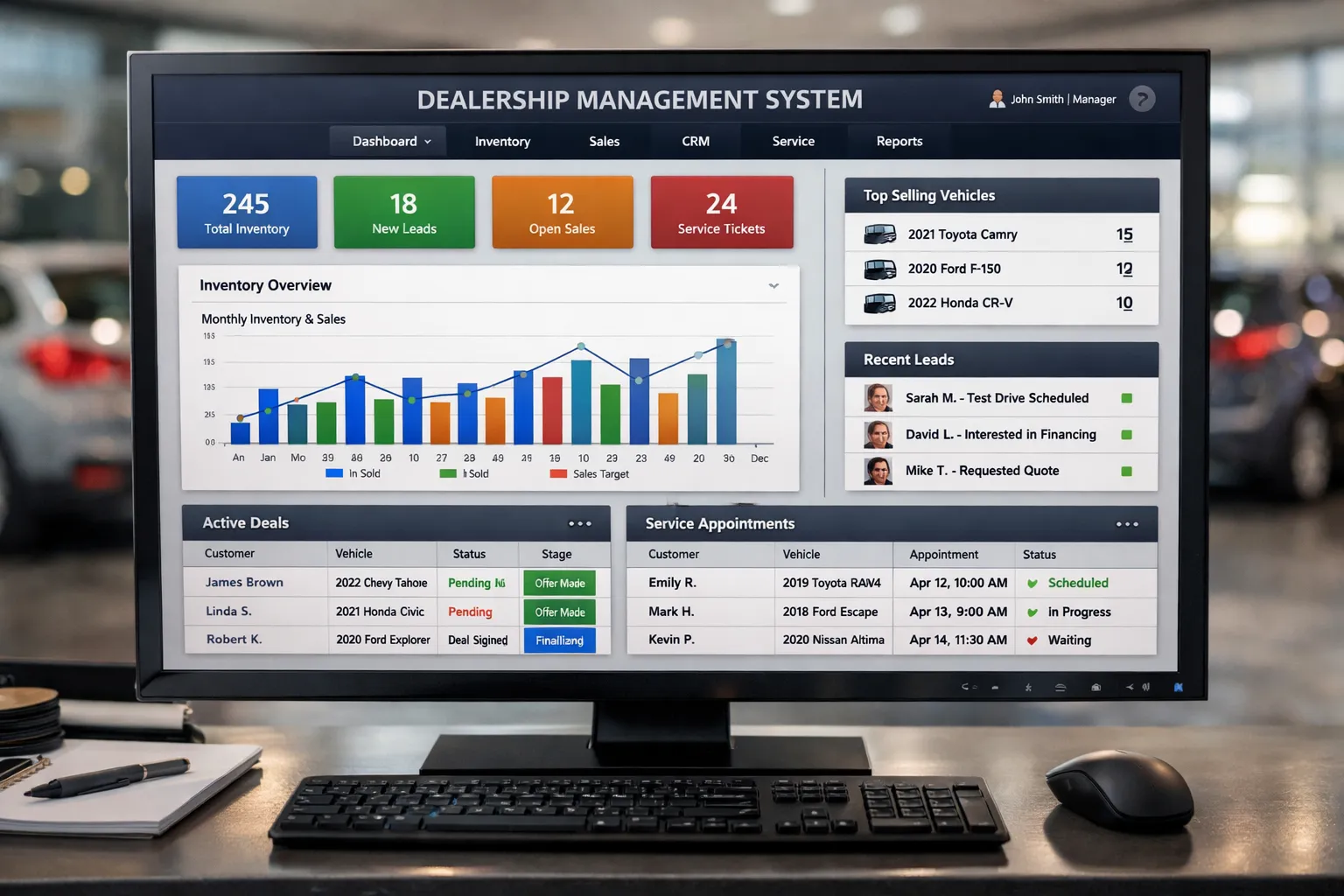
Dashboards, Vehicle and Customer 360, an AI assistant that reads documents into forms, and a documented API with webhooks.
See it
Real screens from the product, shown with demo data. Pick a screen to look closer, or open it full size.
Mobile apps
Sales executives, service advisors and technicians each get their own Android and iOS app, working on the same live data as the web app. Each app shows only what that person's role allows.
The salesperson's day in their pocket: their enquiries, the customers and cars they are working on, and every deal from first quote to handing over the keys.
Reception, the walkaround and the estimate, done beside the car instead of back at the desk.
Built for the workshop floor, with large touch targets for gloved hands and high contrast under workshop lights.
Why it matters
AutoTech360 DMS is built around results your team will notice, not just features on a list.
Sales, service, parts and finance look at the same vehicle and the same customer, so nobody re-keys data or works from an old spreadsheet.
Because every document posts to the ledger as it is issued, sub-ledgers agree with the control accounts and month-end becomes a check rather than a project.
Approval rules are data your managers change, and each role sees only what it should, so branches move fast while head office keeps the final say.
VAT on every document, bilingual tax invoices, three-decimal currencies and Saudi e-invoicing are handled for you, company by company.
Online approvals, technician clocking and a live bay board shorten the time a car waits, and show you where it is waiting.
The sales, service advisor and technician apps keep working with a weak signal and send their changes when the connection returns.
Results
From our published case study: results within six months.
Dealership group
45%
higher operational efficiency
The challenge
Manual stock tracking, slow follow-ups and no central reporting across branches.
What we delivered
One platform for sales, CRM, inventory and the service workshop, with AI-powered analytics.
How we work
A clear five-step process, so you always know what happens next and what you will get.
Every project starts with a free, no-obligation consultation.
We load your companies, branches, brands, roles, approval rules, price books and chart of accounts, so the system matches how your group is organised.
Customers, vehicles, stock, service history, parts and open balances are imported from your current system, with every import previewed before it writes.
We run one month-end alongside your old system and explain every difference, and your finance team signs it off before anything goes live.
Each role, from receptionist to finance controller, gets its own training on its day, its screens and what only it may do.
A planned cut-over weekend with a tested rollback, then a hypercare period with our team on hand while your staff settle in.
Security & control
Who can see what, who can approve what, and what happens to the data: the controls are part of the product, not a setting someone has to remember.
Ask about security in your demoSign-in with a second factor and session management, so a lost password is not enough to get in.
23 ready-made roles, each limited to its own records, team, branch, company or the whole group. Nobody can hand out access they do not hold.
Discounts, purchases and write-offs follow the approval chains your admins set. Nobody approves their own request or signs two steps of one.
Changes are recorded with who made them and when, so you can always see how a record came to be the way it is.
Issued invoices and financial documents are never edited. A mistake is corrected by a reversal, so the ledger always reconciles.
Runs as a Docker deployment on your own cloud account or servers, with database and file backups, configuration checks before go-live and scoped API keys.
FAQ
Straight answers to what buyers ask us most. Can't find what you need?
Ask us directlyA DMS is the software a car dealership runs on. It brings vehicle stock, sales, finance and insurance, parts, service, customers and accounting into one system, so every department works from the same up-to-date information.
Yes. Every screen is available in English and Arabic, the layout mirrors right to left, and tax invoices print in both languages.
Yes. It is built for a dealer group with several legal entities, each with its own VAT registration, and any number of showrooms, workshops, body shops, parts warehouses and yards. Reports can be run per branch, per company or for the whole group.
No. The DMS includes a full general ledger: chart of accounts, journals posted automatically from every document, receivables and payables, bank reconciliation, fixed assets, budgets, financial statements, consolidation and VAT returns.
Yes. Used cars have their own appraisal, inspection, reconditioning and photography workflow, and the VAT margin scheme is applied where the vehicle qualifies.
VAT is captured on every document from tax codes with effective dates and posted to the right accounts. For companies registered in Saudi Arabia, invoices are produced as e-invoice documents in the format ZATCA requires.
Yes. There are three separate Android and iOS apps: one for sales executives, one for service advisors and one for technicians. They queue their work when the signal drops and send it when it returns.
Yes. We import customers, vehicles, stock, service history, parts stock, open bookings and open receivables and payables, run a month-end in parallel with your old system, and only go live once the figures agree.
It depends on the modules you need, the number of companies, branches and users, and how much data we bring across from your current system. After a free demo and a scoping call you get a fixed quote, with no hidden extras.
See how our pricing worksFree PDF brochure
Features, outcomes, delivery process and FAQs in one PDF you can share with your team or management.
Your download should start automatically. If not, use the button.
Free demo
Book a free demo and we will walk through a car from purchase order to delivery, its first service and the journals it posts, using your own scenarios.
What happens next
Prefer to talk now?
Fields marked * are required.